
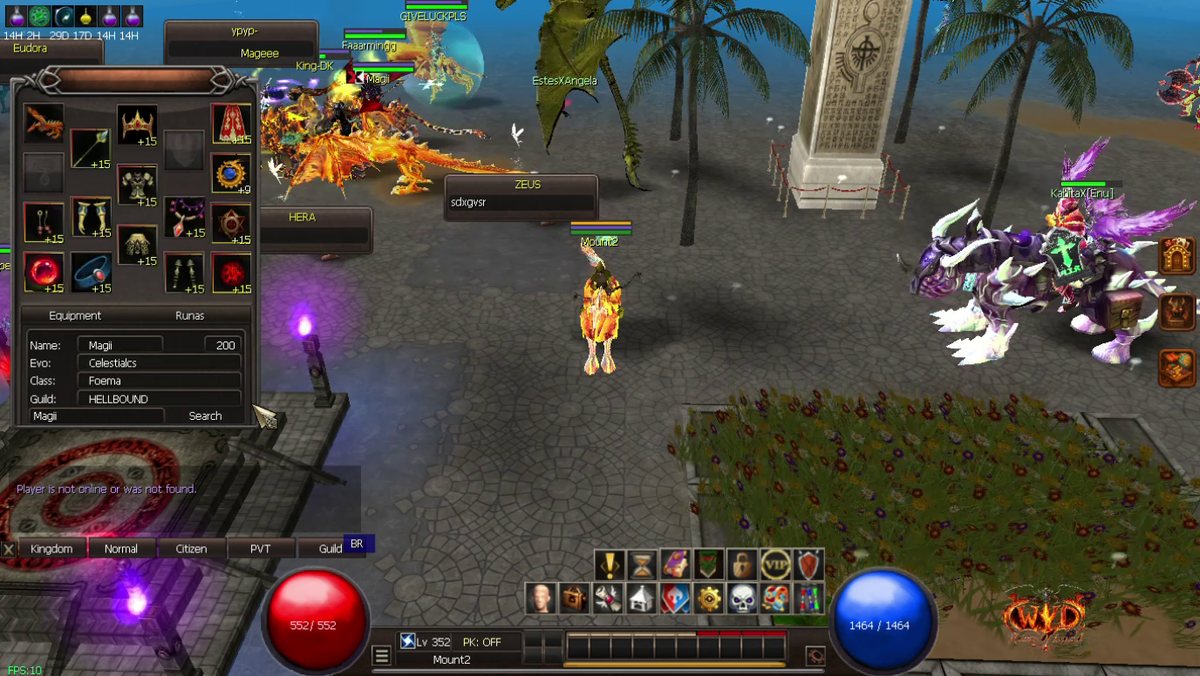
New in game: Player Info. See the gear and runes of any player who is online.
How it works
- Click the gear icon (Player Info) in the main menu.
- Type a character name and click Search.
- See their gear, level, evolution, class and guild. Put your mouse on an item to see its stats.
- Click the Runas tab to see their 8 rune slots.

Full guide with pictures: https://wydlor2.xyz/guides.php?id=53